サービスは、UNIX デーモン プロセスに似た、ユーザー インターフェイスなしでシステム バックグラウンドで実行されるアプリケーションの一種です。サービスは、イベント ログ、印刷、エラー レポートなどのコア オペレーティング システム機能を提供します。
このガイドでは、Windows 7、Windows 8、および Windows 10 で実行中および停止したサービスのリストをファイルにエクスポートする方法を説明します。
コマンドプロンプトで実行中および停止したサービスのリストをエクスポートする
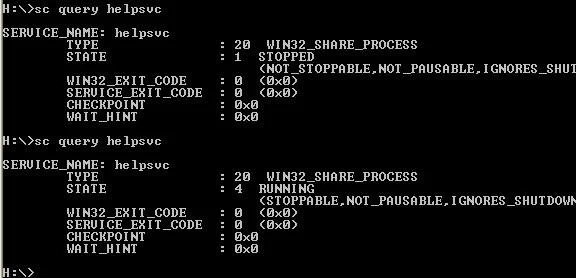
コマンドプロンプトで実行中および停止したサービスのリストをエクスポートする
2. 以下の使用するコマンドをコピーしてコマンド プロンプトに貼り付け、 を押しますEnter。
(実行中のサービスと停止したサービスをすべてエクスポートします)
sc query type= service state= all > "%UserProfile%\Desktop\All_Services.txt"(実行中のすべてのサービスをエクスポート)
sc query type= service > "%UserProfile%\Desktop\Running_Services.txt"(停止したサービスをすべてエクスポート)
sc query type= service state= inactive > "%UserProfile%\Desktop\Stopped_Services.txt"3. デスクトップ上に、現在実行中または停止しているすべてのサービスのリストを含むテキスト ファイルが作成されます。
PowerShell で実行中および停止したサービスのリストをエクスポートする
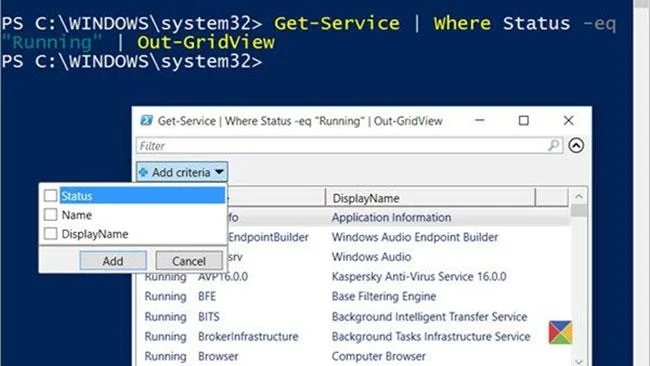
PowerShell で実行中および停止したサービスのリストをエクスポートする
1. Windows PowerShellを開きます。
2. 以下で使用するコマンドをコピーして PowerShell に貼り付け、 を押しますEnter。
(実行中および停止したすべてのサービスを .txt ファイルにエクスポートします)
Get-Service | Format-Table -AutoSize | Out-File -f(実行中および停止したすべてのサービスを .csv ファイルにエクスポートします)
Get-Service | Export-Csv -path "$Env:userprofile\Desktop\All_Services.csv"または
(実行中のすべてのサービスを .txt ファイルにエクスポートします)
Get-Service | Where-Object {$_.Status -eq "Running"} | Format-Table -AutoSize | Out-File -filepath "$Env:userprofile\Desktop\Running_Services.txt"(実行中のすべてのサービスを .csv ファイルにエクスポートします)
Get-Service | Where-Object {$_.Status -eq "Running"} | Export-Csv -path "$Env:userprofile\Desktop\Running_Services.csv"または
(停止したサービスをすべて .txt ファイルにエクスポートします)
Get-Service | Where-Object {$_.Status -eq "Stopped"} | Format-Table -AutoSize | Out-File -filepath "$Env:userprofile\Desktop\Stopped_Services.txt"(停止したすべてのサービスを .csv ファイルにエクスポートします)
Get-Service | Where-Object {$_.Status -eq "Stopped"} | Export-Csv -path "$Env:userprofile\Desktop\Stopped_Services.csv"3. さて。デスクトップ上に、現在実行中または停止しているすべてのサービスのリストを含む .txt または .csv ファイルが作成されます。