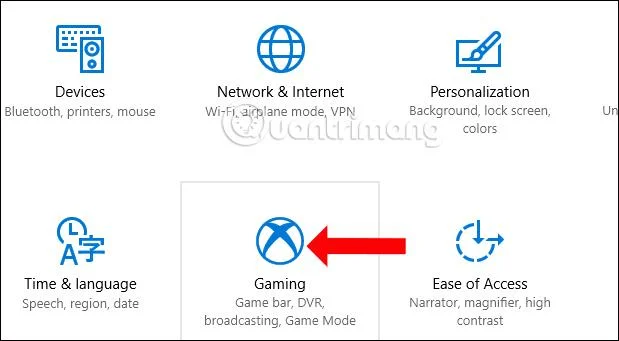
In Windows kunt u thema's gebruiken om uw computer te "personaliseren". Thema's wijzigen de bureaubladachtergrond, kleuren, geluiden, schermbeveiligingen en cursors op uw computer in één keer en u kunt het thema zo vaak wijzigen als u wilt.
Standaard Windows-thema's in Windows 10 zijn onder meer:
Thema's met hoog contrast in Windows omvatten standaard:
- Hoog contrast #1
- Hoog contrast #2
- Hoog contrast zwart
- Wit met hoog contrast
Deze handleiding laat u zien hoe u verwijderde of ontbrekende standaardthema's in Windows 10 kunt herstellen.
U moet zijn aangemeld als beheerder om de standaardthema's te kunnen herstellen.
Herstel standaard Windows-thema's
- Download eerst Default_Windows_themes.zip .
- Sla het bestand Default_Windows_themes.zip op het bureaublad van uw computer op.
- Pak het bestand Default_Windows_themes.zip uit.
- Open het bestand Default_Windows_themes.zip.
- Open de map C:\Windows\Resources\Themes in een Verkenner-venster.
- Sleep elk gewenst thema van Default_Windows_themes.zip naar de map C:\Windows\Resources\Themes .
|
.theme-bestand
|
Thema naam
|
|
aero.thema
|
ramen
|
|
thema1.thema
|
Windows 10
|
|
thema2.thema
|
Bloemen
|
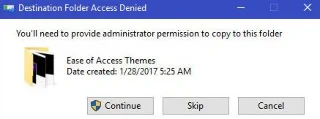
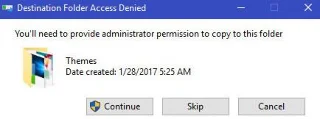
- Selecteer Doorgaan om te bevestigen.
Herstel thema's met hoog contrast
- Download Default_High_Contrast_themes.zip .
- Sla Default_High_Contrast_themes.zip op het bureaublad op.
- Pak het bestand Default_Windows_themes.zip uit.
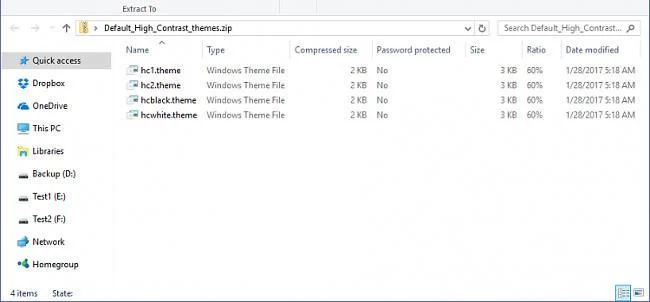
- Open het bestand Default_High_Contrast_themes.zip.

- Open de map C:\Windows\Resources\Ease of Access Themes in een Verkenner-venster.

- Sleep elk gewenst thema van Default_Windows_themes.zip naar de map C:\Windows\Resources\Ease of Access Themes .
|
.theme-bestand
|
Thema naam
|
|
hc1.thema
|
Hoog contrast #1
|
|
hc2.thema
|
Hoog contrast #2
|
|
hcblack.thema
|
Hoog contrast zwart
|
|
hcwhite.thema
|
Wit met hoog contrast
|
- Selecteer Doorgaan om te bevestigen.

Hierboven vindt u instructies voor het herstellen van het standaardthema op Windows 10.
Ik wens je succes!