Home
» Tips
»
Independent Contractor Expense Tracker Template for U.S. Freelancers: 2026 Practical Reference
Independent Contractor Expense Tracker Template for U.S. Freelancers: 2026 Practical Reference
An independent contractor expense tracker should do more than total receipts. For a U.S. freelancer, the useful version is a working record that answers four questions quickly: what did you spend, why was it business-related, what evidence supports it, and where might it belong when you prepare your federal return.
This reference is designed for sole proprietors and independent contractors who want a simple spreadsheet-style system rather than full accounting software. It is not individualized tax advice. Tax treatment depends on the facts of each expense, your business structure, and current law, so use the tracker to organize evidence and then verify uncertain items against IRS guidance or a qualified tax professional.
2026 update: the IRS changed the optional business standard mileage rate during the year. The rate is 72.5 cents per business mile for January 1 through June 30, 2026, and 76 cents per business mile for July 1 through December 31, 2026. That makes the trip date an important tracker field, not just the annual mileage total. See the IRS standard mileage rates page and IRS Announcement 2026-11.
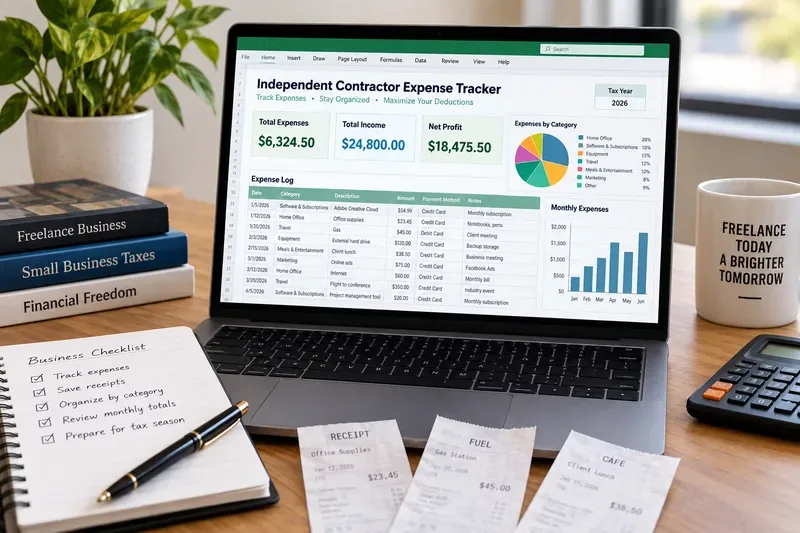
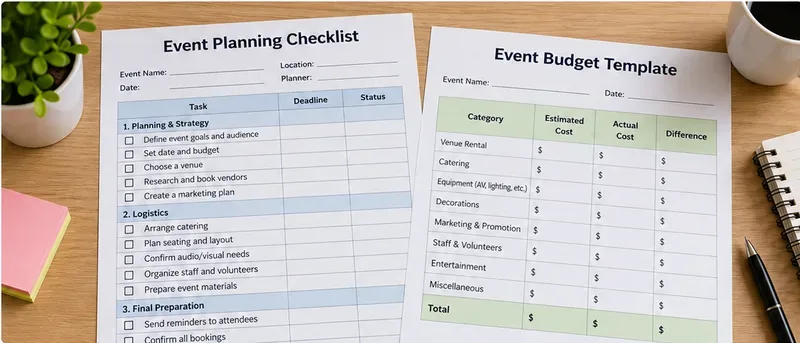
AI-generated illustration of a freelancer expense-tracking workspace; the spreadsheet shown is illustrative, not an IRS form or a screenshot of a specific accounting product.
What the expense tracker should contain
The IRS does not require most small businesses to use one particular bookkeeping format. Its recordkeeping guidance says you may choose a system suited to your business as long as it clearly shows income and expenses. Electronic records are acceptable, but they must still provide a complete and accurate record that can be accessed when needed. See IRS recordkeeping guidance and How should I record my business transactions?.
For a practical spreadsheet template, one row per transaction is usually the cleanest approach. Keep the tax category separate from the description so you can change a classification later without losing the original facts.
Tracker column
What to enter
Why it matters
Date
Date paid or incurred, consistent with your accounting method
Supports monthly review and time-sensitive rules such as the 2026 mileage-rate change
Vendor or payee
Merchant, platform, contractor, landlord, carrier, or service provider
Makes bank and card reconciliation easier
Description
What you bought or paid for
Preserves the factual nature of the transaction
Business purpose
Short explanation of how the cost relates to your work
Helps distinguish business from personal spending
Category
Advertising, supplies, legal and professional services, travel, utilities, other expense, etc.
Lets you summarize costs in a Schedule C-friendly structure
Amount
Total transaction amount
Provides the base figure for bookkeeping
Business-use percentage
100% or an allocated business percentage where appropriate
Separates mixed personal and business use
Business amount
Amount × business-use percentage
Creates a working total without deleting the original purchase amount
Payment account
Business card, checking account, cash, payment app, or other source
Supports reconciliation and helps locate proof of payment
Receipt or document
File name, cloud path, or receipt ID
Connects the row to supporting evidence
Notes
Client, project, attendees, allocation method, or unusual facts
Captures context that may be difficult to remember at tax time
Expense categories that work well for freelancers
A useful tracker can mirror the broad categories that commonly appear on Schedule C without pretending that every purchase automatically qualifies for a deduction. The IRS states that deductible business expenses generally must be both ordinary and necessary: common and accepted in your field, and helpful and appropriate for your business. Personal portions of mixed expenses are generally not deductible. See IRS Publication 334, Tax Guide for Small Business.
Working category
Typical freelancer examples
Tracking note
Advertising
Paid ads, printed promotional materials, sponsorship directly related to the business
Record campaign or business purpose
Contract labor
Payments to subcontractors or freelance help
Keep invoices and payee records; separate this from your own draws
Insurance
Business liability or other qualifying business coverage
Do not mix personal policies into the same total without allocation
Legal and professional services
Bookkeeping, tax preparation for business matters, legal services
Describe the business service received
Office expense and supplies
Paper, shipping materials, small office consumables
Equipment may require different treatment than ordinary supplies
Software and subscriptions
Design tools, cloud services, project management, domain or SaaS costs
Record the business-use percentage for mixed-use subscriptions
Travel
Qualifying business airfare, lodging, local transportation
Keep destination, dates, and business purpose; special substantiation rules can apply
Utilities and communications
Business phone, internet, or related services
Allocate personal and business use when required
Vehicle
Business mileage or eligible actual vehicle costs, depending on the method used
Maintain a separate mileage log with date, destination, miles, and business purpose
Other expenses
Ordinary and necessary costs that do not fit another listed category
Describe each type separately instead of using a vague catch-all total
The finalized Schedule C instructions available from the IRS should control when you actually file. As of September 11, 2026, the IRS lists a 2026 Schedule C as a draft tax form, while the 2026 Schedule C instructions are not yet listed there as final. A tracker should therefore be easy to remap if line labels or instructions change before filing season.
Build a separate mileage section
Do not bury vehicle trips inside the ordinary expense table. Use a mileage tab or a dedicated section with the trip date, starting point, destination, business purpose, and business miles. That structure is especially important in 2026 because the IRS business mileage rate changes on July 1.
2026 period
Business standard mileage rate
Tracker rule
January 1–June 30, 2026
72.5¢ per business mile
Apply only to qualifying miles in the first half of the year
July 1–December 31, 2026
76¢ per business mile
Apply to qualifying miles on or after July 1
The standard mileage rate is optional and is not the only possible vehicle-expense method. Eligibility and method-selection rules matter, so use IRS Publication 463 for travel, gift, and car-expense rules rather than treating a mileage formula as automatic.
Track mixed-use expenses without losing the original amount
Freelancers often use the same phone, internet connection, computer, vehicle, or subscription for business and personal purposes. The cleaner spreadsheet design keeps both the full transaction and the business allocation.
For example, if a $100 service is supported as 70% business use, keep $100 in the original amount column, 70% in the business-use column, and $70 in the business amount column. Add a note describing how you determined the percentage. This preserves the source transaction and makes the adjustment visible instead of silently changing the receipt amount.
That approach follows the general IRS principle that a mixed business/personal expense should be separated and that the personal portion is generally not deductible. It also makes review easier if your allocation changes after you gather better records.
Receipts and supporting documents: what the tracker cannot replace
A spreadsheet entry is a summary, not the underlying evidence. IRS guidance identifies supporting documents such as invoices, receipts, paid bills, account statements, deposit records, and canceled checks. The documents should support the amount and the business nature of the transaction. Travel, gifts, and auto expenses can have additional substantiation requirements. See the IRS pages on records to keep and burden of proof.
A simple receipt-naming convention can save time: 2026-07-18_vendor_84.20.pdf. Put that same file name in the tracker row. Store records by year and expense type, and keep the original electronic file or a readable scan rather than relying only on a bank-feed description.
Home office costs need their own treatment
Do not simply enter a percentage of rent and utilities as “home office” because you work from home. Eligibility rules apply. The IRS simplified option generally uses $5 per square foot of qualifying business use, up to 300 square feet, and it does not change the underlying qualification requirements. The IRS also provides a regular method based on actual expenses. See the IRS simplified home office guidance.
For tracking purposes, keep home-related expenses in a separate worksheet with the full annual amount, the type of cost, and any allocation information. That gives you the data needed to compare methods later without prematurely treating every household expense as a business deduction.
Use monthly totals for management, not just tax season
The tracker becomes more valuable when it includes a monthly summary by category. Total the business amount, not merely the gross purchase amount, and compare it with freelance income for the same period. This gives you a working view of net business profit before tax adjustments and helps spot duplicate subscriptions, unusual spending, or missing receipts.
It can also support estimated-tax planning. The IRS says people in business for themselves generally may need to make estimated tax payments, and individuals including sole proprietors generally use Form 1040-ES to determine whether and how much to pay. See the IRS estimated taxes page. Your expense tracker is useful input, but it is not a substitute for the Form 1040-ES calculation.
Monthly freelancer expense-tracker checklist
Enter every business transaction and avoid waiting until year-end.
Reconcile tracker totals to the business checking account, credit card, and payment platforms.
Attach or reference the receipt, invoice, statement, or other supporting document.
Write a clear business purpose for items that would not be obvious to someone reviewing the records later.
Separate mixed personal and business use instead of deducting the full amount automatically.
Update the mileage log from contemporaneous trip records and apply the correct 2026 rate period if using the standard mileage method.
Review uncategorized and “other” expenses and give them specific descriptions.
Check large equipment or asset purchases separately because current-expense treatment may not be appropriate.
Back up the spreadsheet and the supporting document folder.
Review year-to-date net income when planning estimated tax payments.
A practical template layout
For most solo freelancers, three tabs are enough: Expense Log, Mileage Log, and Monthly Summary. Add a fourth Home Office tab only if it is relevant to your situation. Avoid building dozens of categories before you have transactions that require them.
The goal is traceability. A tax preparer—or you several months later—should be able to move from a monthly category total to the individual transaction, then from the transaction to the supporting document and its business purpose. If your tracker can do that reliably, it is performing the job a freelancer needs from an expense template.
Finally, do not treat the tracker as a deduction calculator that decides tax law for you. The IRS recordkeeping rules focus on accurate books and supporting evidence. Use the template to create that evidence trail, then apply the final tax forms and instructions for the year you are filing.